



Waiter Call System: A Smart Call Button That Shortens Service Time

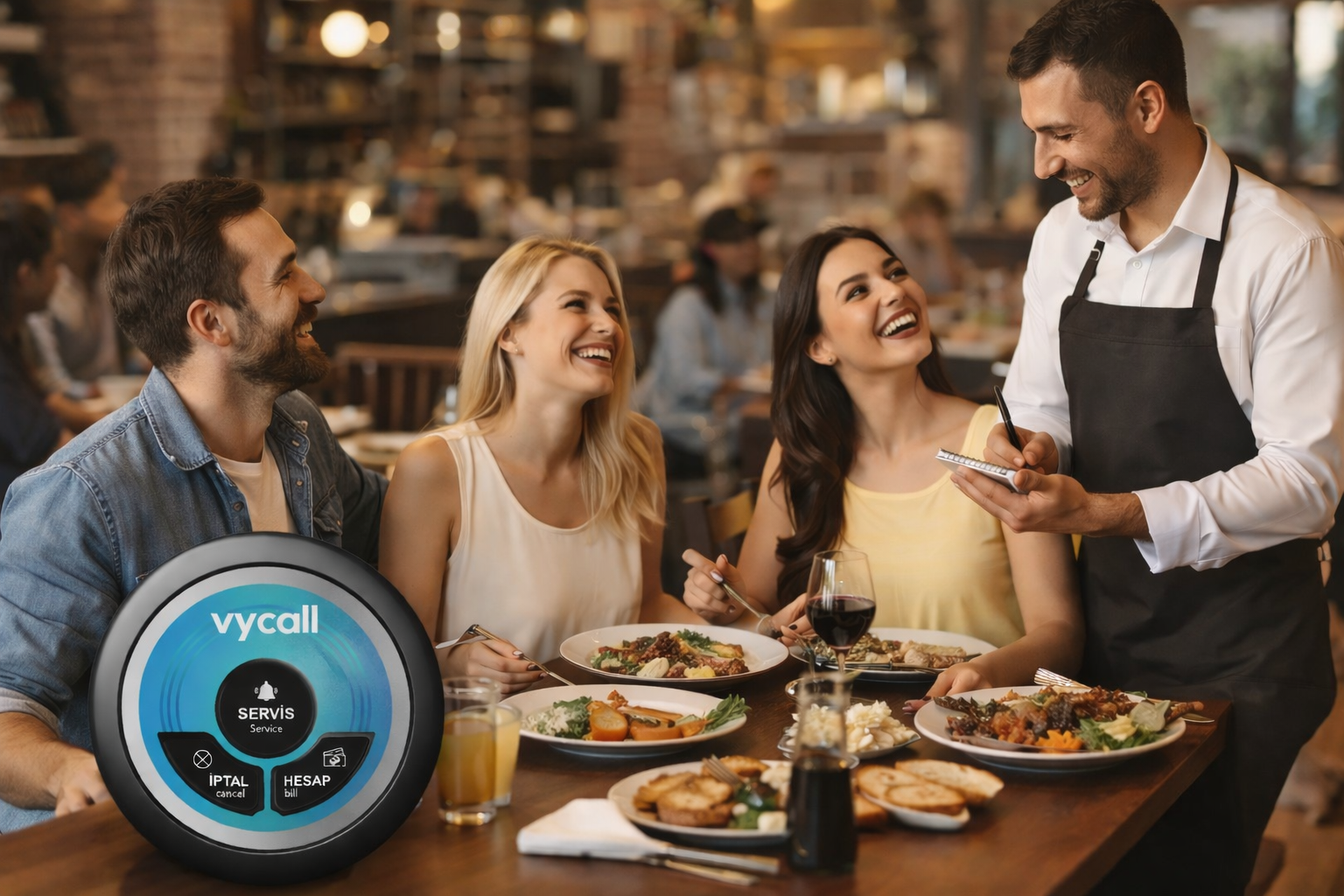
A Waiter Call System is a wireless solution that enables guests to request service from their table with a simple button press. Instead of waiting for eye contact or raising a hand, guests use a waiter call button placed on the table. The request is delivered instantly to staff through receiver devices such as a display unit, a pager, or a PC receiver, helping teams respond faster and more consistently.
The purpose is straightforward: reduce service time and improve table management. During busy hours, missed requests and repeated attempts to call staff can frustrate guests and slow down operations. With a well-structured setup, the system brings clarity to the service flow and helps staff prioritize correctly. From a practical standpoint, it’s a small change that can make daily operations feel noticeably smoother.
What Is a Waiter Call System?
A waiter call system is designed to send a service request from a table to staff in real time. It usually consists of two main parts:
- Call Buttons placed on tables (single-button or multi-button)
- Receiver Devices used by staff (display, pager, or PC receiver)
When the guest presses the button, the system transmits a wireless signal to the receiver. Staff members can see which table requested service and respond without delay. This reduces uncertainty on the floor and helps venues maintain a consistent service standard, even when the venue is full.
What Does a Waiter Call Button Do?
A waiter call button is the guest-facing device that triggers the request. It provides a clear, simple way for guests to ask for service at the right time—without feeling like they have to “hunt down” a waiter.
Depending on the model, the button can support different workflows:
- Single-button models are ideal for a clean and simple process: the guest presses once, and staff receives a standard “waiter call” alert.
- Multi-button models allow guests to choose the request type, such as Waiter, Bill, or Assistance, which helps staff prioritize and respond more efficiently.
For staff, the biggest benefit is that service becomes more demand-driven. Instead of constant floor scanning and repeated table checks, the team responds to clear signals. This saves steps, reduces distractions, and improves the overall service rhythm.
How Does a Waiter Call System Work?
A waiter call system follows a simple logic: call initiated → signal transmitted → alert received → request handled → call cleared. The best systems feel effortless because they don’t add complexity; they reduce it.
Table Call Activation (Single-Button / Multi-Button Scenarios)
Single-button workflow is the most common approach. The guest presses the button, and the system creates a standard service request. It is easy for guests to understand and quick for staff to react to.
Multi-button workflow is preferred when the venue wants more structured communication. For example:
- Waiter: service request at the table
- Bill: payment request to speed up table turnover
- Assistance: urgent or priority request
This reduces guesswork. Staff knows what the guest needs before reaching the table, which improves speed and service quality during peak hours.
Call Delivery and Alert Types (Sound–Light–Vibration)
Once the call is activated, the system transmits it wirelessly to the receiver devices. Alert types typically include:
- Sound alerts, which are effective in busy environments where quick attention is needed
- Light alerts, which provide visual tracking for staff coordination
- Vibration alerts, which support quieter service environments such as hotel restaurants or premium dining areas
Choosing the right alert style depends on the venue’s atmosphere. A lively café may benefit from audible alerts, while a quieter venue may prefer vibration-based notifications to keep the ambiance intact.
Call Closing and the Service Workflow (Completed Logic)
After the staff member handles the request, the call should be cleared so the system remains clean and easy to track. A proper “completed” workflow provides major operational benefits:
- Calls do not stay active after the issue is resolved
- Staff can focus on open requests without confusion
- Peak-hour operations remain structured and manageable
Clearing calls consistently is one of the small details that makes the system feel professional and reliable.
What Are the Benefits of a Waiter Call System?
A waiter call system is not only about speed—it improves service organization. When table count increases, relying on hand gestures, eye contact, and constant walking becomes less reliable. Key benefits include:
- Shorter service times because requests are delivered instantly
- Clear table identification, so staff knows exactly where to go
- Higher staff efficiency by reducing unnecessary floor checks
- Improved guest satisfaction, as guests feel supported and noticed
- More stable operations during peak hours, with fewer missed requests
In simple terms, guests get faster support, and staff works with fewer interruptions. That balance usually leads to a calmer, more controlled service flow.
Where Is a Waiter Call System Used?
Waiter call systems are common in restaurants and cafés, but they also fit many other service environments. Any venue that wants faster response times and better service control can benefit.
Restaurants and Cafés
In table-service venues, the system reduces delays, especially when the floor is busy. Guests don’t need to wait for a staff member to pass by, and staff can respond based on real-time needs.
Food Courts and Self-Service Areas
Even in self-service settings, guests may need assistance, have questions, or request cleanup. A call button creates a structured way to handle these requests without disrupting the flow.
Hotel Restaurants and Beach Clubs
These venues often aim for a premium guest experience, where calm and smooth service matters. Vibration-based alerts and organized call handling support that goal without compromising the atmosphere.
Large Outdoor Areas (Terraces / Gardens)
Outdoor seating makes visibility harder. Staff may not notice a guest trying to call them, especially across a large terrace. A waiter call system ensures requests are delivered reliably, even when the environment is spread out.
Example Use Cases
A waiter call system performs best when it supports clear scenarios that match real operations. Common use cases include:
- Call Waiter for table service requests
- Request the Bill to speed up payment flow
- Assistance / Priority Help for urgent needs
- Cleanup Request to keep tables ready for the next guests
These scenarios are simple, but they remove uncertainty. Guests know how to request help, and staff knows exactly where to respond.
What Affects the Price of a Waiter Call System?
Pricing depends on the venue’s needs and setup choices. The following factors typically affect cost:
- Number of tables and call buttons needed
- Receiver device type and quantity (display unit, pagers, or PC receiver)
- Workflow design, such as single-button vs multi-button requests
- Coverage requirements, especially for outdoor areas or multi-floor venues
- Bundle selection, whether a ready-made set or a custom configuration is chosen
The most effective approach is to define the venue’s layout and service workflow first. A system that matches the real operation will be easier to expand later and will deliver better results long-term.
Why Choose Vycall for a Waiter Call System?
A waiter call system should not only send calls—it should do so reliably, with a workflow that is easy for staff to follow. Vycall focuses on practical solutions designed for daily use and flexible setups that can grow with the venue’s needs.
Key reasons venues choose Vycall include:
- Stable wireless communication for consistent performance
- Simple setup and operation, so teams can adapt quickly
- Scalable configurations as table count or service zones expand
- Guidance and support to help match the right setup to the venue
A balanced setup matters. When the devices fit the venue’s workflow, the system feels natural and supports better service instead of adding complexity.
Frequently Asked Questions
In most cases, no. Waiter call systems typically operate on their own wireless communication between call buttons and receiver devices, so internet is not required for basic functionality.
Outdoor performance depends on the venue layout, distance, and obstacles. With correct placement and the right configuration, outdoor areas such as terraces and gardens can be covered effectively.
Yes. Many setups can be scaled by adding more call buttons and additional receiver devices. Planning the system structure early makes expansion easier.
Not when the system is properly configured. Receiver devices display the table number or zone clearly, and calls can be cleared after completion to keep the request list organized.
Battery life depends on usage frequency and the device model. Routine checks and planned replacement cycles help maintain uninterrupted performance and smooth daily operation.

